Ticket details
In this section, you can view the ticket details.
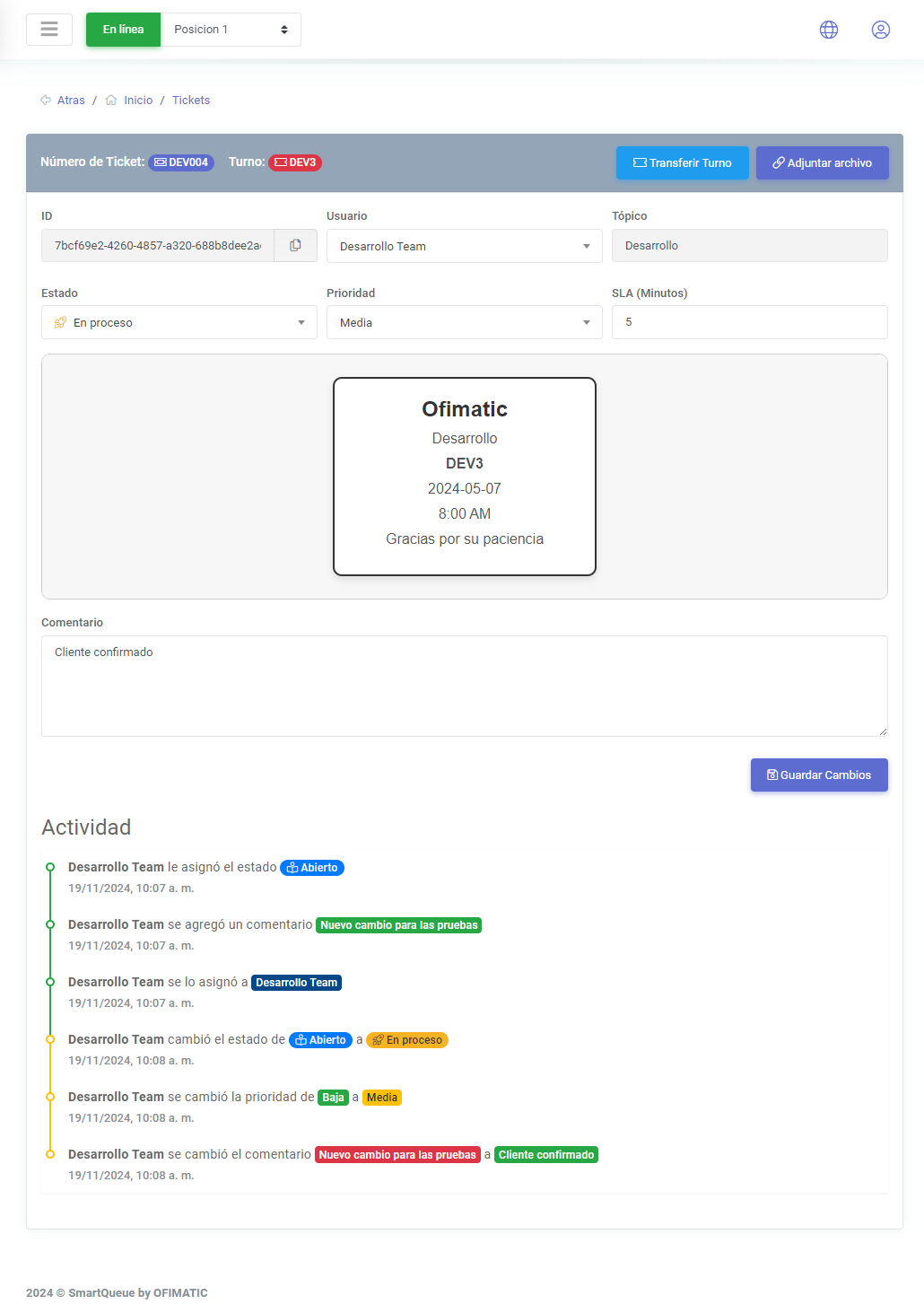
Ticket section
This section displays the following fields:
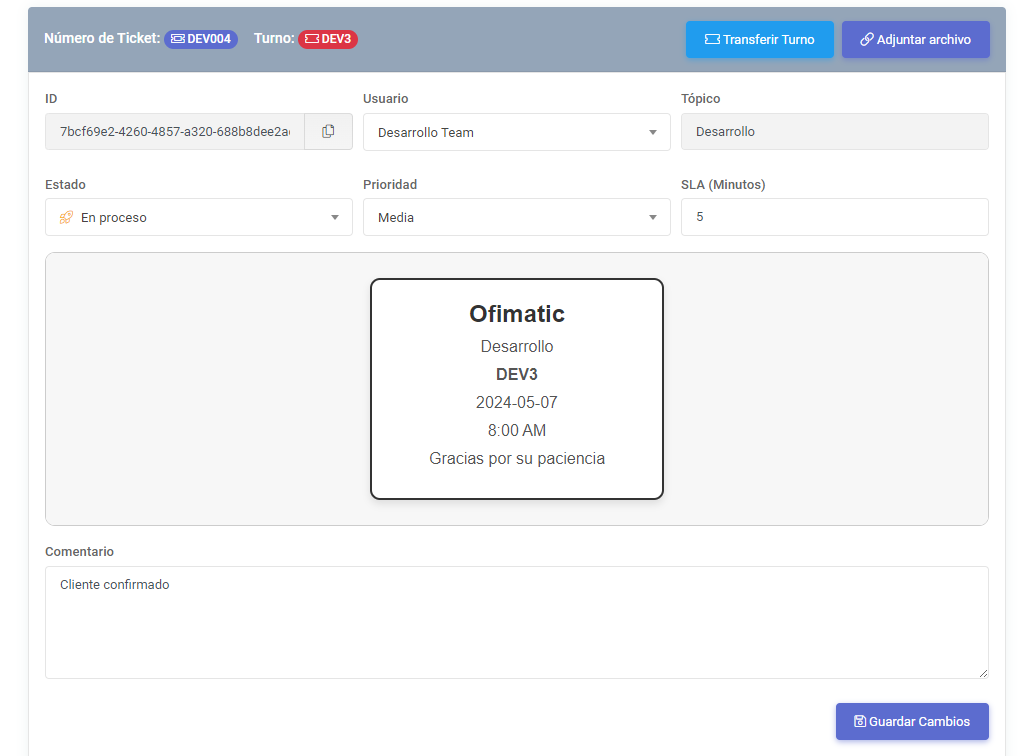
This view displays the following main information and actions:
- Ticket number: indicates the number with which the ticket was created. This number is unique and is only visible to the agent when working with the turn functionality.
- Turn: indicates the number of the turn currently being handled. This number will only be visible if the topic has the
Generate turnsoption enabled. - Re-call turn: allows you to make a new call for a turn that was previously called.
- Transfer turn: allows you to transfer a turn to another topic that also has turn generation enabled.
- Attach file: allows you to attach files and images to the ticket when necessary.
The listed fields are the following:
| Field | Description | Editable |
|---|---|---|
| ID | displays the ticket ID. | ╳ |
| User | displays the name of the user who will work on or is currently working on the ticket. If it is assigned to you, your name will be displayed. | ✔ |
| Topic | indicates the topic with which the ticket was created. | ╳ |
| Status | displays the status with which the ticket was created or the modified status, if any change has been made. | ✔ |
| Priority | indicates the ticket priority level. | ✔ |
| SLA (Minutes) | indicates the SLA configured for the topic. | ✔ |
| Template | displays the digital ticket or template where the information is presented. | ╳ |
| Comment | allows you to add comments or notes related to the ticket. | ✔ |
This section also displays the template associated with the topic used to create the ticket. To learn more about templates, see the following link.
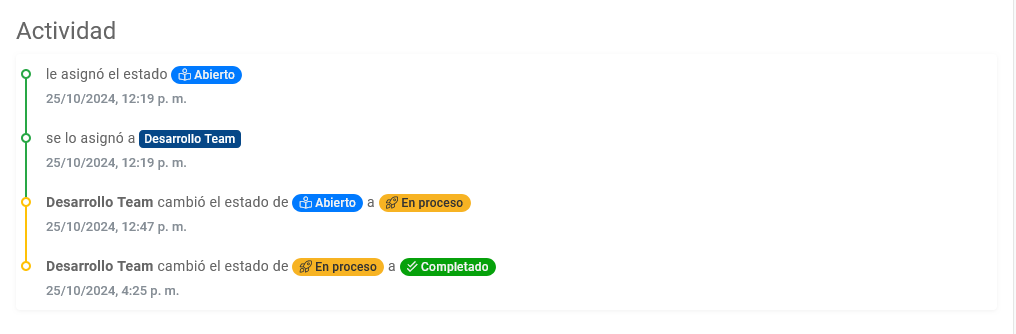
Ticket traceability
This section displays the ticket activity and the changes it has gone through from creation to closure.
Considerations
The ticket details can be viewed by both the supervisor and the agent.