Department
The department section is used to organize users so that, when topics are created, it is possible to identify which department they belong to.
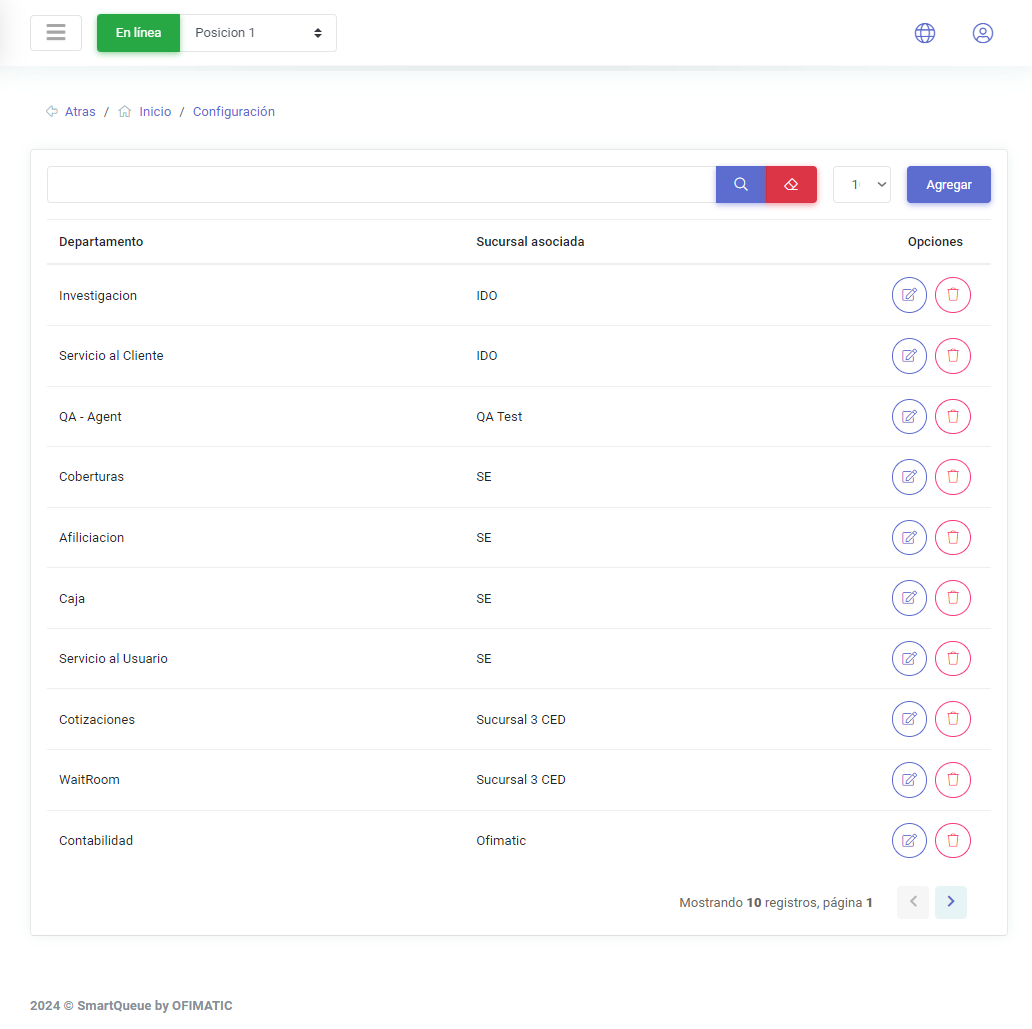
A table is displayed with the following columns:
| Name | Description |
|---|---|
| Department | displays the department name. |
| Associated branch | indicates the branch where this department is located. |
| Options | allows you to edit the created department. |
Create and update department
Create department
To create a department, click the Add button. This will open a dialog box to create the department.
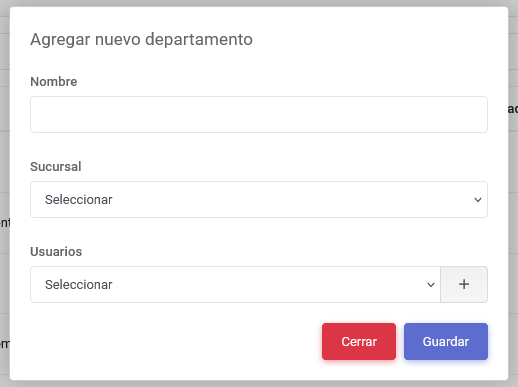
This view displays the following fields:
| Name | Description |
|---|---|
| Name | allows you to assign a name to the department. |
| Branch | allows you to assign a previously created branch. To learn more about branches, see this link. |
| Users | allows you to assign the users who will work in the selected department. |
Update department
To update a department, click the button located in the options column. The edit page will then be displayed.
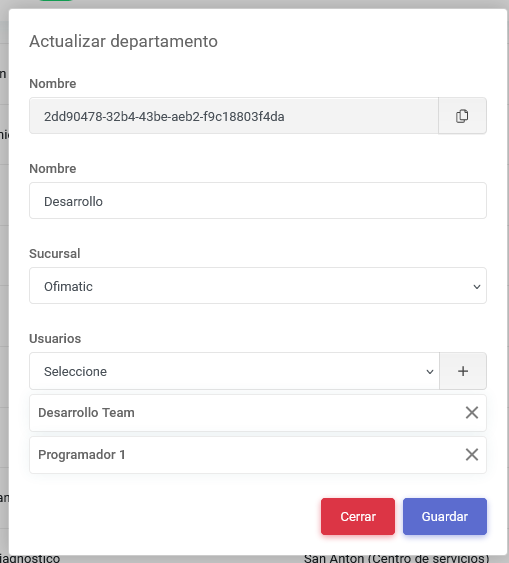
You only need to make the necessary changes to edit each of the fields shown in the previous image. This view presents the same controls as create department.