Tickets
In the tickets section, you can view the tickets that are currently active.
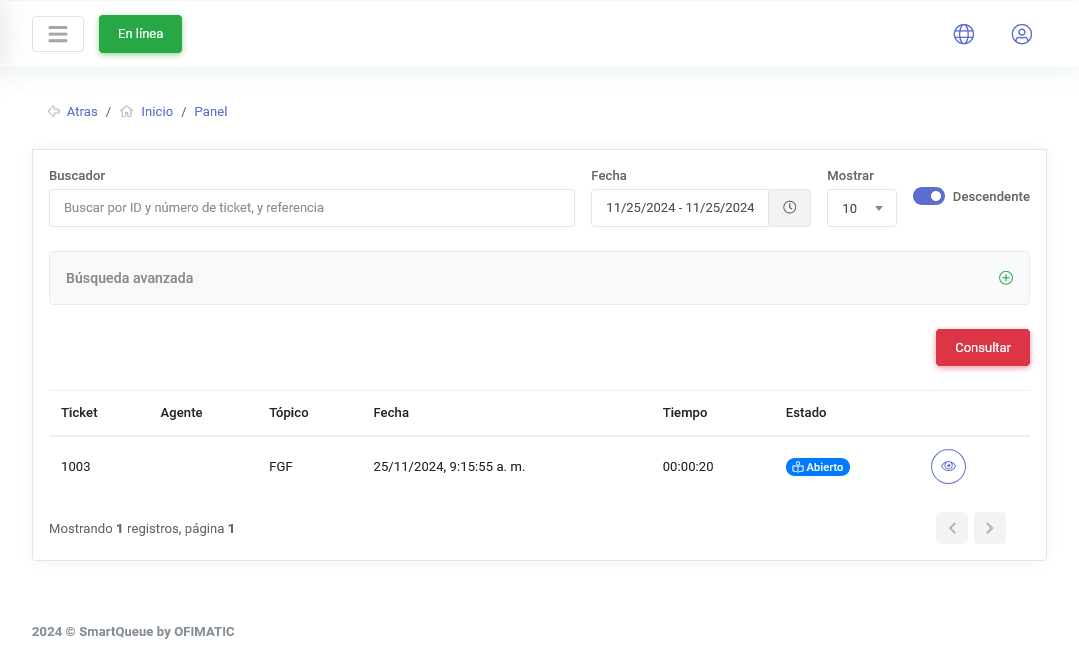
Ticket search
The search field allows you to perform more precise searches, including ticket references and ticket IDs.
You can also use the Advanced search filters to make the searches you need even more precise.

You can also view each active ticket in real time and how it is being handled.
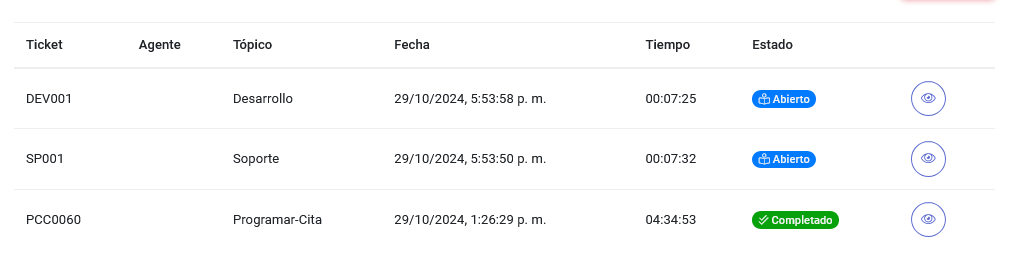
This table displays the following columns:
| Column | Description |
|---|---|
| Ticket | topic identifier. |
| Agent | agent assigned to the ticket. |
| Topic | ticket category. |
| Creation date | date when the ticket was created. |
| Elapsed time | time the ticket has been open. |
| Status | current ticket status. |
On the side of the table, you can see the options button:

This button performs the following function:
- Ticket details: allows you to modify the ticket status, comment, and the user to whom the ticket is assigned. To learn more about this section, see this link.