Statuses
Statuses are used to indicate the stage a ticket is currently in.
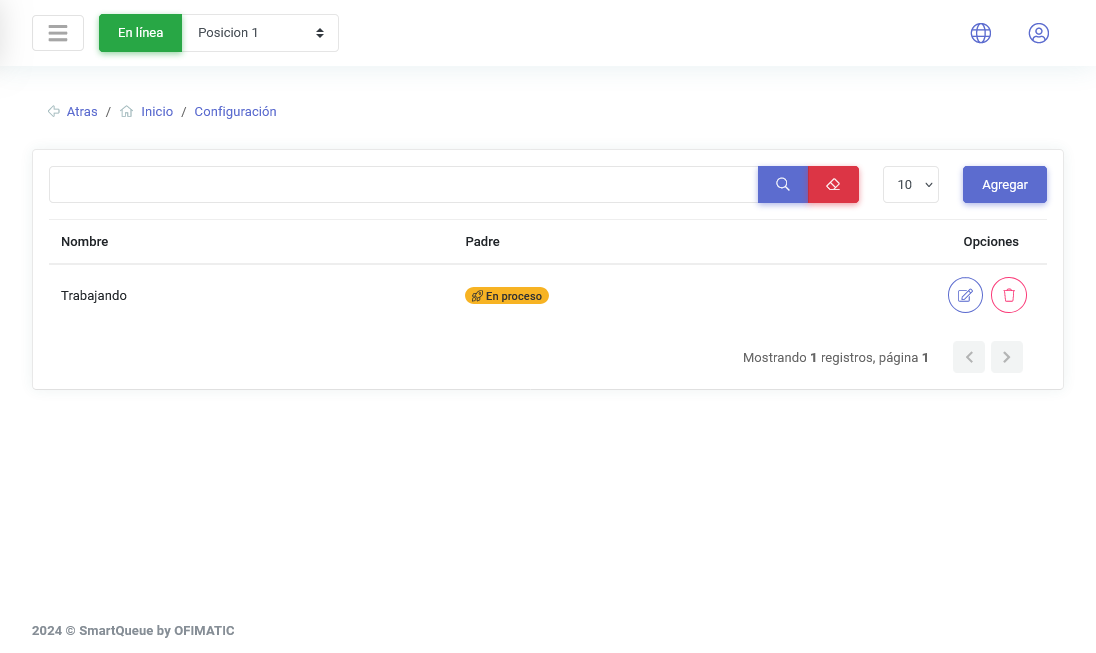
These statuses help identify the current stage of the ticket. When custom statuses are created, a table displays the statuses configured in the platform.
| Name | Description |
|---|---|
| Name | indicates the name assigned to the status when it was created. |
| Parent | indicates the main status associated with the custom status. |
| Options | allows you to edit or delete the custom status created. |
Create and update a custom status
Create custom status
To create a custom status, click the Add button.
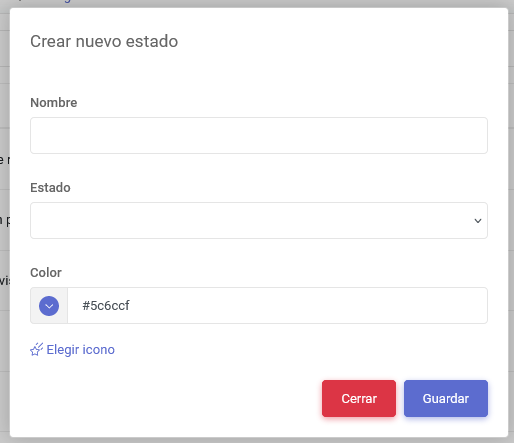
The creation view displays the following fields:
| Name | Description |
|---|---|
| Name | allows you to enter the name the custom status will have. |
| Status | allows you to select the main status that will be associated with the custom status being created. |
| Color | allows you to assign a custom color to the status. |
| Choose icon | allows you to select an icon for the status. When you click the Add icon button, a series of available icons is displayed. |
Update custom status
To update a custom status, click the options button.
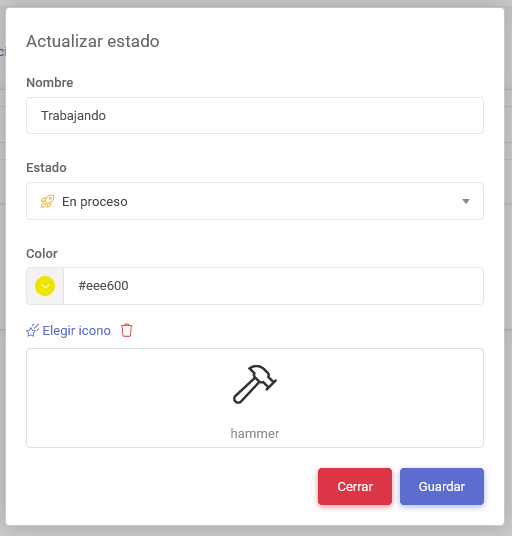
A view similar to create status will be displayed, but focused on updating existing statuses.